
Auto Repair Shop Software: Job Cards, Invoices and Parts in One Place
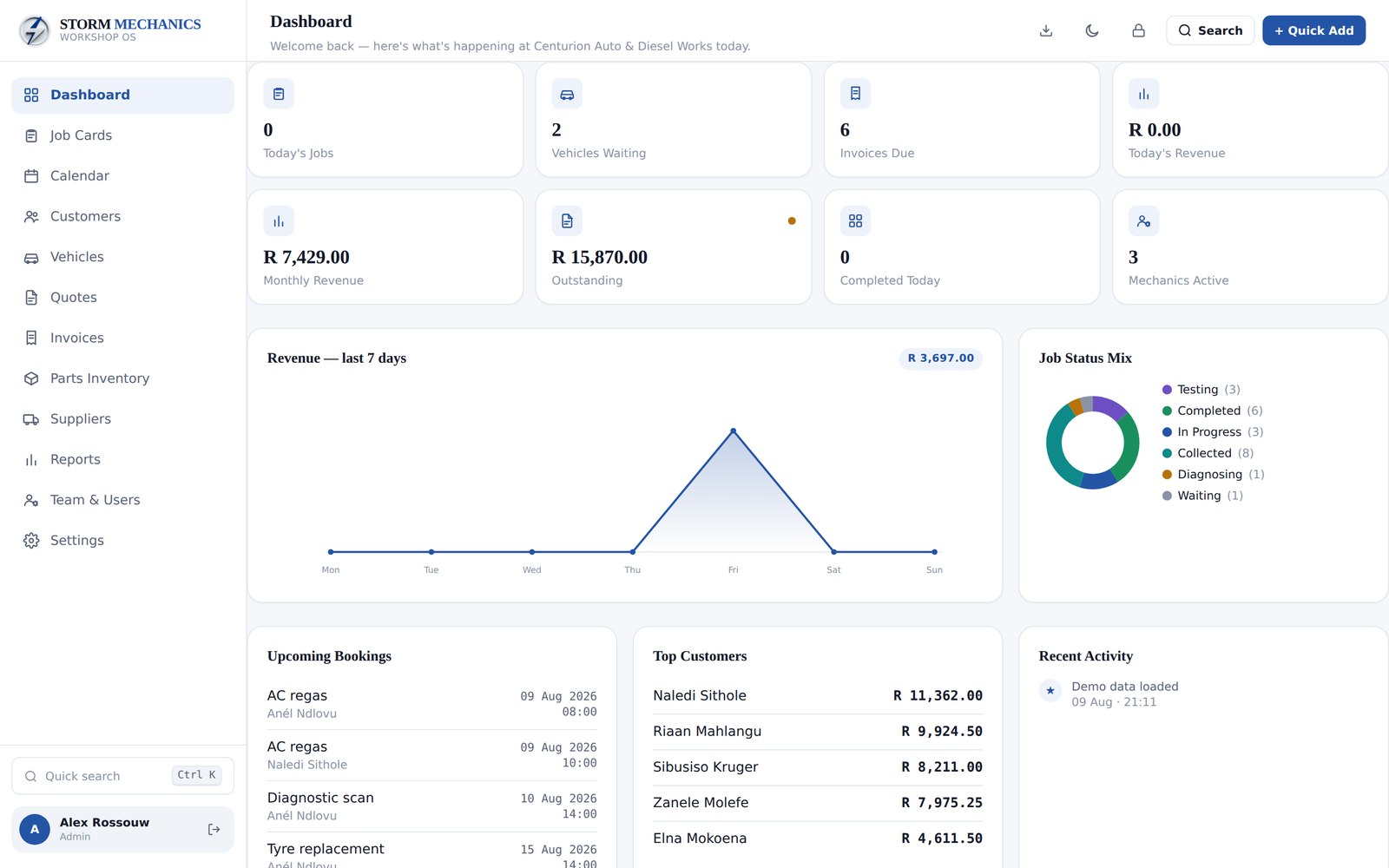
Many independent repair shops still run on paper job cards, a whiteboard and an invoice book. It works until a car sits waiting because nobody updated the board, a part is used but never billed, or a customer asks what was done on their last service and nobody can find it. This guide covers what workshop software should do for a small shop, and how to get it without another monthly subscription.
Digital job cards and a status board
The job card is the core of a workshop. A digital job card should hold the customer, the vehicle, the reported problem, the work done, parts used, labour and notes. A status board that shows every job from waiting to in progress to ready for collection lets the whole team see the day at a glance. Drag and drop updates are faster than walking to a whiteboard.
Quotes and invoices from the job card
Retyping a job card into an invoice is where mistakes and missed charges happen. Good software turns an approved quote or a finished job card into an invoice in one click, with your logo, tax and itemised parts and labour. Track part payments and outstanding balances, and print or save as PDF.
For more on getting invoices right, see our guide to invoicing software for small businesses.
Customer and vehicle history
Every vehicle should have a full service history: what was done, when, at what mileage and with which parts. That history wins repeat business. It lets you remind customers when a service is due, answer questions instantly and spot recurring faults.
Parts inventory that updates itself
Parts are money sitting on a shelf. Track stock levels, set low stock alerts and deduct parts automatically when they are added to a job. That way the stock count stays accurate and every part used ends up on an invoice.
Our inventory management guide for small businesses covers stock control in more depth.
Quotes customers say yes to
A clear, itemised quote wins more work than a figure scribbled on a job card. Break it into parts and labour, show tax, and add your logo and terms. When the customer approves, convert the quote into a job card in one click so nothing has to be retyped.
Digital signatures on approvals protect you if there is ever a disagreement about what was authorized, especially for extra work found once the car is on the lift. Call the customer, update the quote, get the signature and carry on. Every approval stays on the vehicle's history for next time.
Bookings without double booking
A booking calendar that shows each bay and each day prevents double booking and makes it easy to fit in urgent work. Being able to move a booking by dragging it saves phone calls and confusion.
Reports that show where the money is
Revenue by month, your top customers and each mechanic's output tell you what is working. You should not need a spreadsheet to see them, and a CSV export should be there for your accountant.
Team logins and keeping data safe
Each mechanic, manager and front desk person should have their own PIN or password login with access to what they need. Your data should stay on your own device, with a simple backup you can run any time.
Moving from paper in a week
You do not need to switch overnight. Start with new jobs in the software while finishing open paper job cards as usual. Add customers and vehicles as they come in rather than typing in years of records. Load your most-used parts first, then the rest over time. Within a week or two the paper book becomes the backup rather than the system.
Common questions
Can my mechanics update jobs from a tablet? Yes, if the software works in a browser on tablets. A tablet in the workshop makes status updates far quicker.
Will it work if the internet goes down? Offline software keeps the job board and invoicing running regardless of your connection. Cloud systems usually stop until the connection returns.
How do customers sign off on work? Digital signatures on quotes and job cards make approval quick and give you a record if there is ever a dispute.
Monthly subscription vs one-time software
Cloud workshop systems usually charge monthly, often per user, for as long as you run the shop. That is worth it if you need online booking or several branches sharing data. For a single independent shop, software you pay for once and run offline is often the better value. It also keeps the job board and invoicing working when your internet connection drops.
Storm Mechanics covers job cards, invoices, vehicle history, parts and bookings for $149 once. See the auto repair shop software.
You may also like: Storm Restaurant POS, Storm Paws, Storm Builder